Skip to content
2026 EditionDigital download

Your AI Engineering career needs more than another course.

SkillPilot AI Engineering & Career Preparation Bundle — 2026 Edition — a structured roadmap, project blueprints, interview preparation, resume resources, AI prompts and six practice workbooks, organised into one plan. For students, freshers, career switchers and working professionals aiming at AI Engineer, ML Engineer or Data Scientist roles.

₹499One-time purchase · digital download
See 40 real pages before you buy
  • One ZIP (about 27 MB): PDFs, editable Word templates, CSV worksheets, Jupyter notebooks and datasets
  • Download instantly after payment — and we'll email you the link too
  • Secure payment via Razorpay · UPI, cards & netbanking

// the problem

Effort isn't the issue. The pieces don't connect.

If any of these sound familiar, you're not behind — you're missing a system that ties learning, practice, projects and applications together.

  • A folder of saved tutorials, no sequence

    You've bookmarked courses, threads and videos, but nothing tells you what to learn first, what can wait, or when you're ready to move on.

  • Jumping between unrelated resources

    A Python course here, an LLM tutorial there. Each makes sense alone, but they don't add up to a path.

  • Following along is easy; practising alone isn't

    The code works while you watch. Facing a blank notebook without the video is a different skill — and few resources train it.

  • Not sure which projects are worth building

    Another PDF chatbot or house-price notebook won't say much about you. You want projects that show real engineering decisions.

  • Projects you can't explain under questioning

    Interviewers ask why you chose that design, how you measured it and what breaks. Tutorials rarely prepare you for that conversation.

  • One generic resume for every application

    The same resume goes to Data Scientist, ML Engineer and AI Engineer roles, with bullets that list tools instead of results.

  • Restarting after a career break

    It's hard to know what to revise, what's new, and how to describe the gap honestly without over-explaining it.

  • Unclear what to prioritise before applying

    Skills, projects, resume, Naukri, LinkedIn, interview practice — everything feels urgent, so nothing gets finished.

See how the bundle connects them

// how it works

One loop: learn, practise, build, prepare, present, improve.

Each resource hands off to the next, so what you learn turns into practice, practice into projects, and projects into evidence you can present.

  1. Step 1

    Learn

    AI Engineering Roadmap

    14 phases in order, with essential topics marked and a milestone you must show before moving on.

    Each phase names the workbook to practise in.

  2. Step 2

    Practise

    6 practice workbooks

    Python, NumPy, Pandas, Matplotlib & Seaborn, Statistics and SQL — learning tasks first, then tasks that don't tell you which function to use.

    Practised skills become the raw material for projects.

  3. Step 3

    Build

    5 project blueprints

    Problem, data, architecture, build stages, evaluation, security and deployment — the decisions are yours to make.

    Measured results feed your resume and interview stories.

  4. Step 4

    Prepare

    100 interview Q&As + 100 AI prompts

    Scenario questions with a 0–3 self-score, and prompts for mock interviews, debugging and revision.

    Weak topics send you back to the right roadmap phase.

  5. Step 5

    Present

    Resume kit + Naukri & LinkedIn guide

    Six role-specific resume templates, evidence-based bullets, keyword mapping and profile audits.

    Responses and interviews show what to work on next.

  6. Step 6

    Improve

    Start Here guide

    Study plans, a weekly operating system and a progress tracker that keep the loop going.

    Back to Learn, with a sharper focus.

// who it's for

Built for where you are now

The same bundle, used differently. The Start Here guide's self-assessment points each situation to its own starting point.

  • College students & freshers

    The problem
    Too many courses, no clear order, and little experience to put on a resume.
    What to use
    Roadmap from Phase 1 · Python and data workbooks · Blueprint 01 · Fresher resume templates · Interview guide
    How it helps
    Follow the phases in order, practise each one in its workbook, and build one evaluated project. The Fresher templates put projects first so your strongest evidence leads.
  • Aspiring AI & ML Engineers

    The problem
    Isolated tools and tutorials, but no connected plan — and projects that are hard to explain.
    What to use
    Roadmap Phases 6–13 · 12 mini-projects · Blueprints 02–04 · Interview categories 6–8
    How it helps
    Move from foundations to LLM apps, RAG, agents, evaluation and deployment in sequence, with a mini-project after each group of phases and a blueprint that forces real design decisions.
  • Data Scientists & ML professionals

    The problem
    You can train models, but want LLM applications, RAG, agents, evaluation and production reliability.
    What to use
    Roadmap's faster route (start at Phase 6) · Blueprints 02, 03 or 04 · AI system design questions
    How it helps
    Test out of Phases 2–5 with their milestones instead of repeating foundations, then spend your time on Phases 6–11 and a project that shows engineering judgment.
  • Career switchers

    The problem
    Transferable skills, too many subjects at once, and a transition that's hard to present convincingly.
    What to use
    Start Here self-assessment · Roadmap starting points · Resume Customization Guide · Naukri & LinkedIn Part 8
    How it helps
    The self-assessment shows where to start, so you learn only what's missing. Part 8 of the playbook covers presenting a career transition honestly, without relabelling past roles.
  • Returning after a career break

    The problem
    Not sure what to revise versus learn fresh, how to show recent skills, or how to describe the break.
    What to use
    Milestone self-check · Workbook Testing phases · One portfolio project · Naukri & LinkedIn career-break guidance
    How it helps
    Use the milestones to see what still holds, practise to rebuild fluency, and show recent evidence. The playbook explains how to state a break briefly and factually, and how to add it on LinkedIn.
  • Preparing to apply or interview

    The problem
    Generic resumes, thin project explanations, and memorised answers that fall apart in scenarios.
    What to use
    Interview guide's 2-, 4- or 6-week plan · Six resume variants · Profile audit scorecards · 7 message templates · Application tracker
    How it helps
    Practise scenario questions with a 7-step framework, tailor a resume to each posting, fix the top items from your profile audits and track every application.

// what's included

Seven resources and the guide that connects them

157 files in one ZIP — but what matters is what each part does for you.

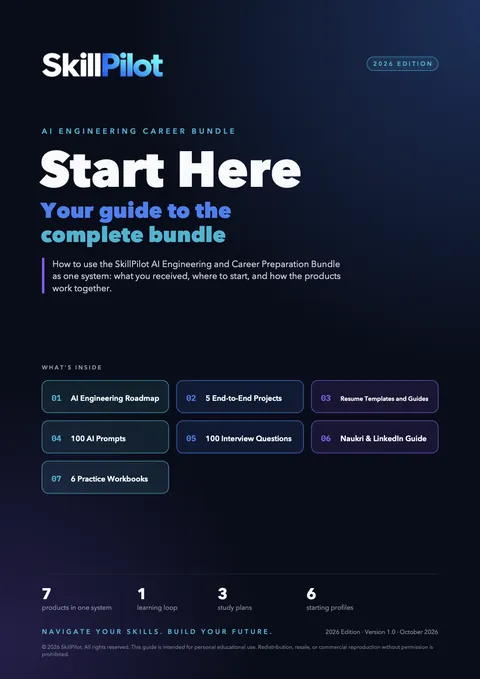
Start Here — the complete bundle guide — cover

Read this first

Start Here — the complete bundle guide

  • 31 pages
  • 6 starting profiles
  • 3 study plans
  • Progress tracker

The navigation layer for everything else: what each resource is for, the order to use them in, a self-assessment to choose your starting point, a weekly operating system and a progress tracker.

Format: PDF

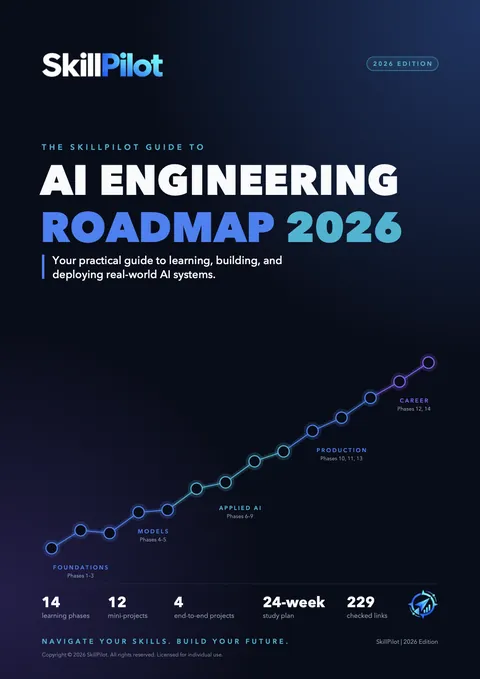
  • AI Engineering Roadmap 2026 — cover

    AI Engineering Roadmap 2026

    • 30 pages
    • 14 phases + orientation
    • 12 mini-projects
    • 229 checked links

    What to learn, in what order, from Python to LLM apps, RAG, agents, evaluation, deployment, system design and job preparation. Topics are tagged essential, recommended or optional; resources show language and cost; every phase ends with a milestone. Includes 4 end-to-end project outlines and a 24-week plan.

    Start points for beginners with basic programming, Python developers, data scientists, ML engineers and software engineers. It is not a zero-programming course.

    Format: PDF with clickable links

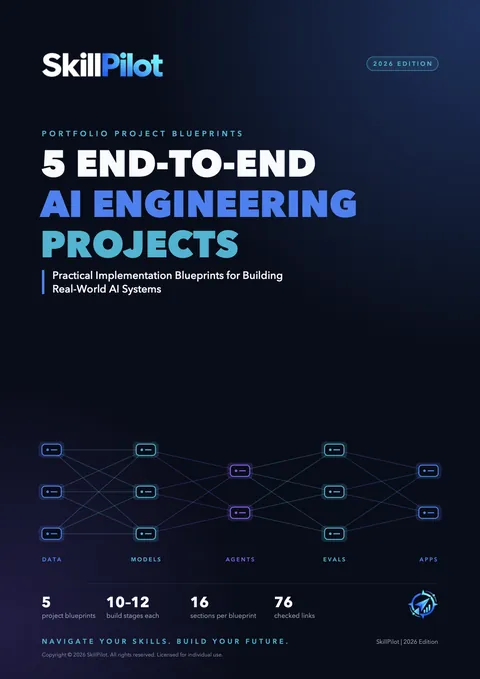
  • 5 End-to-End AI Engineering Projects — cover

    5 End-to-End AI Engineering Projects

    • 35 pages
    • 5 blueprints
    • 16 sections each
    • 10–12 build stages each

    Food-safety inspection prioritisation, clinical-trial matching with evidence, a dependency-vulnerability triage agent, an LLM safety gateway with red-team evaluation, and a contract review workbench — each with architecture, build stages, evaluation, security, deployment, README, resume bullets and interview questions.

    Blueprints, not codebases: there is deliberately no code. Expect 45–120 hours per project. You should know Python, Git, pandas and basic SQL, and have trained at least one scikit-learn model.

    Format: PDF

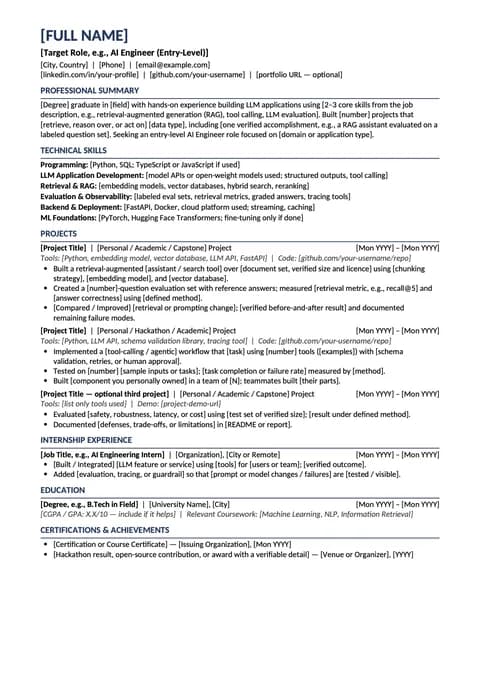
  • Resume Templates & Guides (The Shortlist Code) — cover

    Resume Templates & Guides (The Shortlist Code)

    • 6 editable templates
    • 6 role guides
    • 3 supporting guides
    • Word + PDF

    AI Engineer, ML Engineer and Data Scientist — each in Fresher and Experienced versions — designed with ATS readability in mind. Plus the Resume Customization Guide, Achievement Bullet Worksheet and ATS Resume Checklist for tailoring each application.

    Includes six fictional example resumes to show what strong content looks like. Copy the structure, never the claims.

    Format: Word (.docx) and PDF

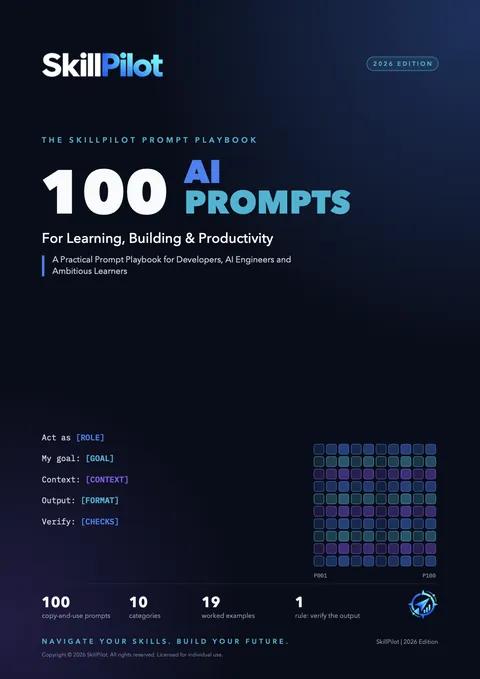
  • 100 AI Prompts — cover

    100 AI Prompts

    • 50 pages
    • 100 prompts
    • 10 categories
    • 19 worked examples

    Reusable prompt templates for learning, practice, Python/SQL/DSA, projects, ML, GenAI, debugging and testing, documentation, career preparation and planning — with a customisation guide, an index and notes for different AI tools.

    One rule throughout: verify the output. Prompts help you think and practise; they don't guarantee correct code.

    Format: PDF

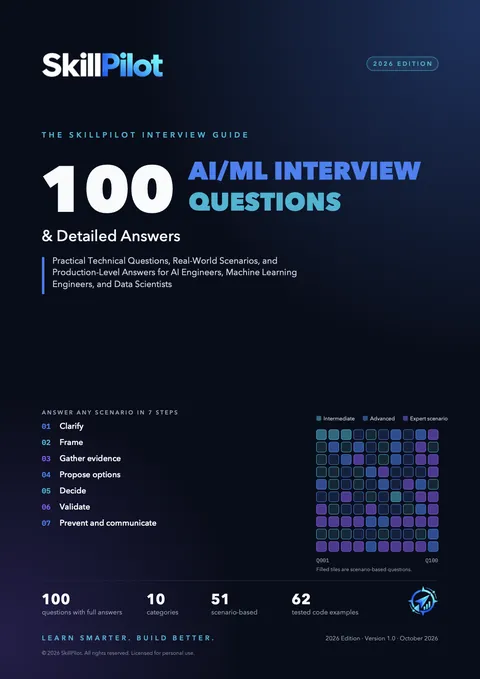
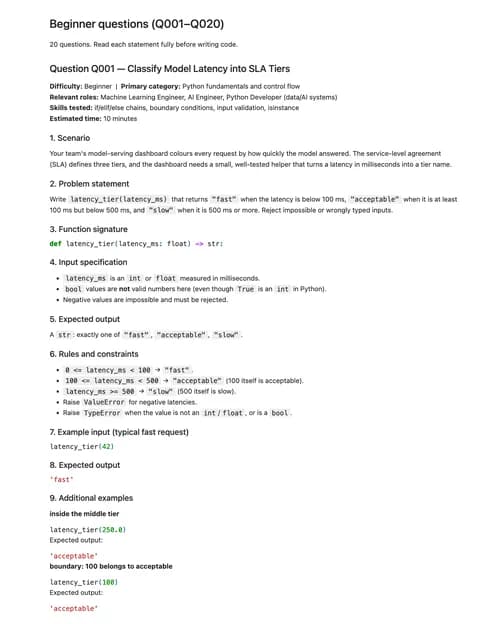
  • 100 AI/ML Interview Questions — cover

    100 AI/ML Interview Questions

    • 186 pages
    • 100 detailed answers
    • 51 scenario-based
    • 62 tested code examples

    Ten categories from Python, SQL and statistics to GenAI, RAG, agents, MLOps, AI system design, projects and production troubleshooting. Each question explains what's being assessed and includes two follow-ups and common mistakes; a 7-step scenario framework, a 0–3 rubric and 2-, 4- and 6-week plans organise your revision.

    Representative questions for these roles — not a leak of any employer's question bank.

    Format: PDF

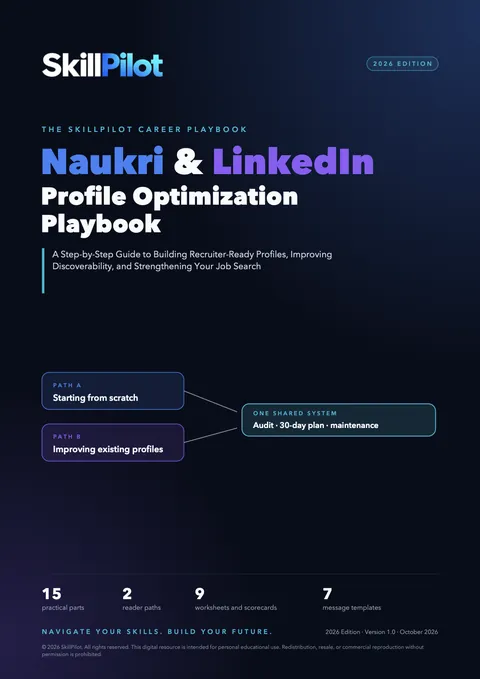
  • Naukri & LinkedIn Profile Optimization Guide — cover

    Naukri & LinkedIn Profile Optimization Guide

    • 79 pages
    • 15 parts
    • 7 message templates
    • 10 CSV worksheets

    Two paths — building profiles from scratch or improving existing ones — with role-specific examples, keyword mapping, career-break and career-transition guidance, audit scorecards and a 30-day plan. The worksheets cover target roles, keywords, evidence, audits, actions, changes, outreach and progress.

    Format: PDF + CSV worksheets

  • 6 Bonus Practice Workbooks — cover

    6 Bonus Practice Workbooks

    • Python · 100 Qs
    • NumPy · 67
    • Pandas · 75
    • Matplotlib & Seaborn · 71
    • Statistics · 98
    • SQL · 171

    Hands-on exercises with hints and answers: a learning phase, a testing phase that doesn't name the function to use, and a final challenge. Python has 615 automated tests and a timed Testing Mode; SQL has 32 tables, 12 modules, 3 role capstones and a 16-question assessment.

    Each workbook needs a short local setup from its README (Python 3, Jupyter; SQL needs PostgreSQL 16+ or MySQL 8.0+). These six are also free on SkillPilot individually — here they're organised into the same plan.

    Format: Jupyter notebooks + datasets + scripts

// look inside

Real pages from the bundle

40 pages taken straight from the files you'll download — tap any page to enlarge it. These are single pages; the complete files come with your purchase.

From: SkillPilot_Start_Here_Guide.pdf

One-time purchase · instant download

// the difference

Organised preparation vs. piecing it together

Free resources and other courses can teach you all of this. The bundle's value is the organisation: the order, the connections and the tracking are already done.

  • Choosing what to learn next

    On your own

    Possible with free roadmaps — but you decide the order and depth yourself

    With the bundle

    14 phases in sequence, essentials marked, a milestone before you move on

  • Finding practice material

    On your own

    Plenty exists; matching it to what you just learned takes searching

    With the bundle

    Each roadmap phase points to the workbook that practises it

  • Planning projects

    On your own

    Ideas are easy to find; scoping, evaluation and security are left to you

    With the bundle

    5 blueprints with build stages, evaluation, security and deployment plans

  • Preparing for technical interviews

    On your own

    Question lists are common; detailed reasoning and follow-ups are rarer

    With the bundle

    100 answered questions, follow-ups, a scenario framework and a self-score rubric

  • Tailoring resumes

    On your own

    Generic templates, with tailoring done from scratch each time

    With the bundle

    Six role-specific templates plus a customisation guide and bullet worksheet

  • Optimising Naukri & LinkedIn

    On your own

    Advice is scattered across posts and videos

    With the bundle

    Audit scorecards, keyword mapping, message templates and a 30-day plan

  • Tracking progress

    On your own

    Your own spreadsheet or notes

    With the bundle

    Milestone tracker, weekly review, weak-topic tracker and CSV worksheets

// how to use it

Start where you are, then follow a plan

From the Start Here guide: open it first, answer the seven-statement self-assessment, and pick the starting profile that matches you. Then choose a schedule.

  1. 1

    Open Start Here

    It explains what each resource is for and the order to use them in.

  2. 2

    Take the self-assessment

    The first statement you can't tick shows what to open first.

  3. 3

    Choose your starting profile

    Six profiles, from complete beginner to actively applying.

  4. 4

    Pick a plan and track it

    Adapt a plan to your time; review progress weekly.

  • Plan A · Structured 12 weeks

    About 15–18 hours a week

    For: You already write basic Python.

    The roadmap's essential path from Phase 1 to a first evaluated RAG application, one portfolio project, a tailored resume, optimised profiles and a first interview cycle.

  • Plan B · Flexible 24 weeks

    About 8–10 hours a week

    For: You're balancing study with work, college or family.

    The same essential path at a gentler pace, with more practice, and career work started earlier.

  • Plan C · Interview-focused 4 weeks

    Follows the interview guide's 4-week plan

    For: You already have relevant skills and projects.

    Organised revision by interview category, resume tailoring, a profile audit, project rehearsal and mock interviews.

These are suggested schedules, not deadlines — and not a promise of job readiness or mastery. Measure progress by what you can show. Complete beginners should expect longer: the roadmap estimates 32–40 weeks.

// the complete bundle

₹499 — One-time purchase

  • Start Here guide · 3 study plans
  • AI Engineering Roadmap 2026
  • 5 end-to-end project blueprints
  • 6 resume templates + 3 guides
  • 100 AI prompts
  • 100 AI/ML interview Q&As
  • Naukri & LinkedIn guide + 10 worksheets
  • 6 practice workbooks with datasets
  • Download instantly after payment — and we'll email you the link too
  • Secure payment via Razorpay · UPI, cards & netbanking

Honest expectations

  • You do the work. The bundle organises your preparation; skills come from the practice and projects you complete.
  • Project blueprints aren't codebases. They assume Python, Git, pandas, basic SQL and some scikit-learn, and each takes roughly 45–120 hours.
  • Workbooks need a short setup on your computer (Python 3 and Jupyter; PostgreSQL or MySQL for SQL).
  • Example resumes are fictional. Use the structure; write only about your own work.
  • No guarantees. Nothing here guarantees a job, interviews, recruiter messages or a salary.
  • Some parts are also available separately: the six workbooks are free on SkillPilot, and the resume kit is sold as The Shortlist Code. The bundle puts them in one plan with everything else.

Questions about access or files? See the Refund Policy and Delivery Policy.

// faq

Frequently asked questions

What exactly is included?

One ZIP with eight folders: the Start Here guide; the AI Engineering Roadmap 2026 (30 pages); 5 End-to-End AI Engineering Projects (35 pages); Resume Templates and Guides (6 editable Word templates, 6 fictional example resumes, 6 PDF previews, 6 role guides, 3 supporting guides in Word and PDF); 100 AI Prompts (50 pages); 100 AI/ML Interview Questions (186 pages); the Naukri & LinkedIn guide (79 pages) with 10 CSV worksheets; and six practice workbooks with their notebooks, datasets, scripts and setup instructions — 157 files in all.

Who is this bundle for?

Students and freshers, aspiring AI and ML Engineers, data scientists moving into LLM and AI Engineering work, career switchers, people returning after a break, and anyone preparing to apply or interview for Data Scientist, ML Engineer or AI Engineer roles. The Start Here guide has a self-assessment and six starting profiles, so you begin where you are rather than at page one.

Can a college student or fresher use it?

Yes, if you can program a little. Start at Phase 1 of the roadmap, practise in the Python and data workbooks, and use the Fresher resume templates, which put projects first. The roadmap estimates 32–40 weeks for complete beginners, so plan for the longer timeline. The project blueprints come later — they assume Python, Git, pandas, basic SQL and some scikit-learn.

Is it useful for career switchers?

Yes. The self-assessment and the roadmap's starting points help you skip what you already know. The Resume Customization Guide and Part 8 of the Naukri & LinkedIn guide cover presenting a transition honestly — highlighting relevant current skills and recent evidence without relabelling past roles.

Does it help people returning after a career break?

Yes. Use the roadmap milestones to see what still holds and what to refresh, the workbooks' Testing phases to rebuild fluency, and a project to show recent work. Part 8 of the Naukri & LinkedIn guide explains how to describe a break briefly and accurately on both platforms.

What prior knowledge do I need?

Basic programming for the roadmap (it's not a zero-programming course). For the project blueprints: Python, Git, pandas, basic SQL, and having trained at least one scikit-learn model — the roadmap covers these foundations first. The workbooks start from the basics of each library.

Do the project guides contain complete source code?

No. They are implementation blueprints: problem, data sources, architecture, 10–12 build stages with expected outputs and checks, evaluation, security, deployment, README guidance, resume bullets and interview questions. There is deliberately no code, because the design decisions are what interviewers ask about. Each project is roughly 45–120 hours of work.

Are the resume templates editable?

Yes. The six templates are Word (.docx) files. They also work in Google Docs (upload the .docx) and in LibreOffice Writer, which is free. The example resumes are fictional and are there to show what strong content looks like — every line on your resume should describe your own work.

Which file formats are included?

PDF (guides, roadmap, ebooks, template previews), Word .docx (resume templates, examples and supporting guides), CSV (worksheets and datasets), Jupyter notebooks (.ipynb), Python scripts, SQL setup and solution scripts, Markdown READMEs and requirements files.

How do the practice workbooks work?

Each is a Jupyter notebook with a short local setup in its README (create a virtual environment, install the requirements, open Jupyter). You work through a learning phase, then a testing phase that doesn't tell you which function to use, then a final challenge. Hints and answers are available on request, so you don't see solutions by accident; the Python workbook also runs automated tests on your answers. They don't run in the browser without setup.

Which database systems does the SQL workbook support?

PostgreSQL 16 or newer, or MySQL 8.0 or newer (8.0.31+ recommended), with a SQL client such as psql, pgAdmin, DBeaver, MySQL Workbench or the mysql CLI. Setup scripts are included for both, and every question was validated on both engines.

Can I use the resources for Data Scientist, ML Engineer and AI Engineer roles?

Yes. The resume kit has Fresher and Experienced templates for all three roles, the interview guide covers all three, and the SQL workbook has a capstone for each. The roadmap is centred on AI Engineering, with start points for data scientists and ML engineers.

Does the bundle guarantee a job or interview?

No. Nothing can guarantee a job, an interview, recruiter messages or a salary — hiring depends on your market, experience and timing, and on the work you put in. The study plans are suggestions, not promises of job readiness. What the bundle does is organise your preparation so your time goes into skills, projects and materials you can show.

How do I access my purchase?

Pay securely through Razorpay by UPI, card or netbanking. After the payment is confirmed, the download appears on the confirmation page straight away and we email you a personal download link. It's one ZIP of about 27 MB (around 76 MB unzipped). If the email doesn't arrive, check spam or request your links again from the order page.

Can I use the resources on Mac or Windows?

Yes. The PDFs, Word files and CSVs open on any computer. The five Python-based workbook READMEs give setup commands for both macOS/Linux and Windows PowerShell; you need Python 3 (3.10+ for the Python, Matplotlib & Seaborn and Statistics workbooks) and Jupyter. The SQL workbook needs PostgreSQL or MySQL, both of which run on Mac and Windows. Editing resumes and running notebooks works best on a laptop or desktop.

Stop guessing what to learn next. Build evidence you can explain.

A roadmap to follow, workbooks to practise in, projects to build, interview preparation to test yourself, and resume and profile guides to present it all — connected, in one download.

See the previews again
Share